Opia for Windows
Make things.
Keep them yours
Opia is one desktop app for your photos, pictures, videos, songs and PDFs. No account, no cloud: it all stays on your desk.
↓ five workspaces, one app
 Lens · photos
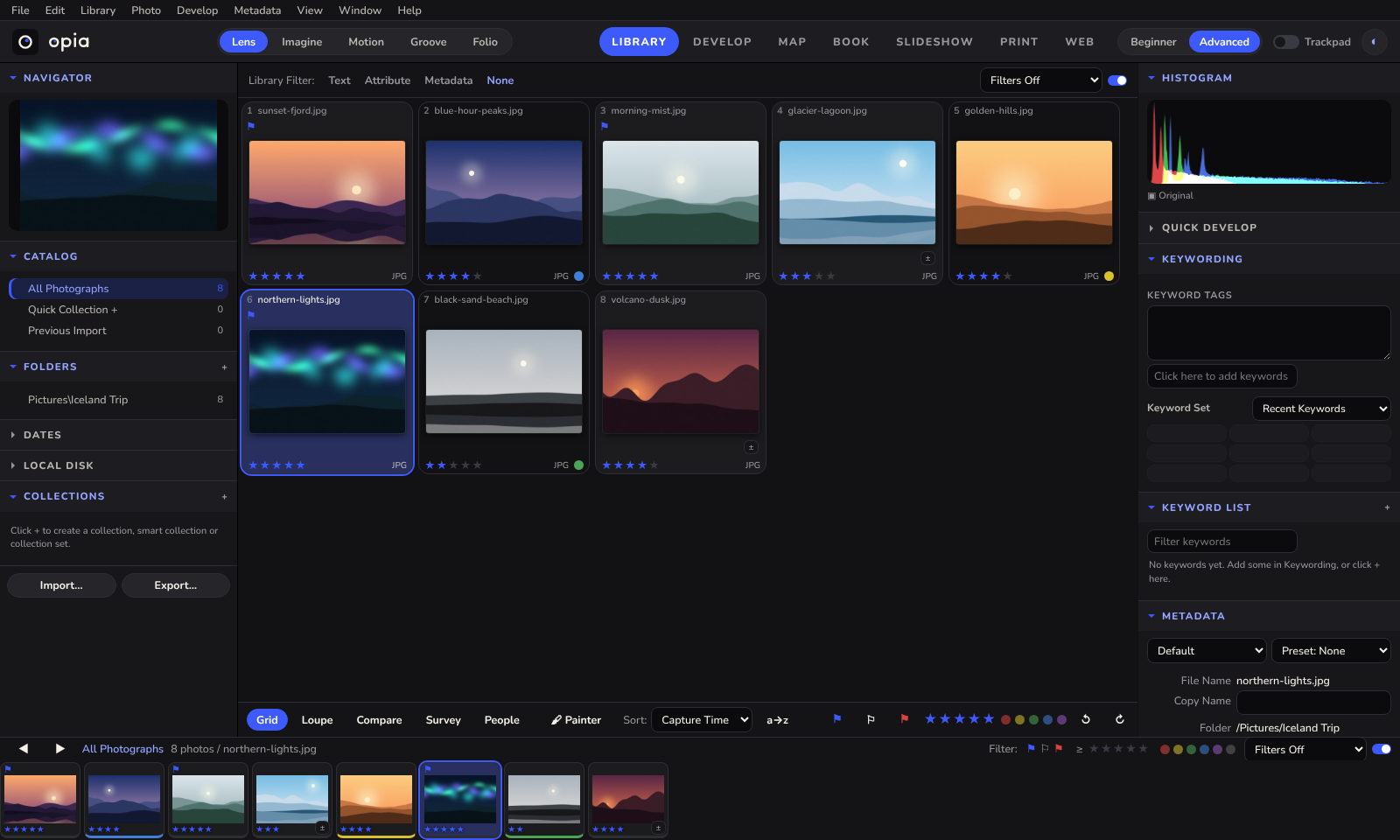
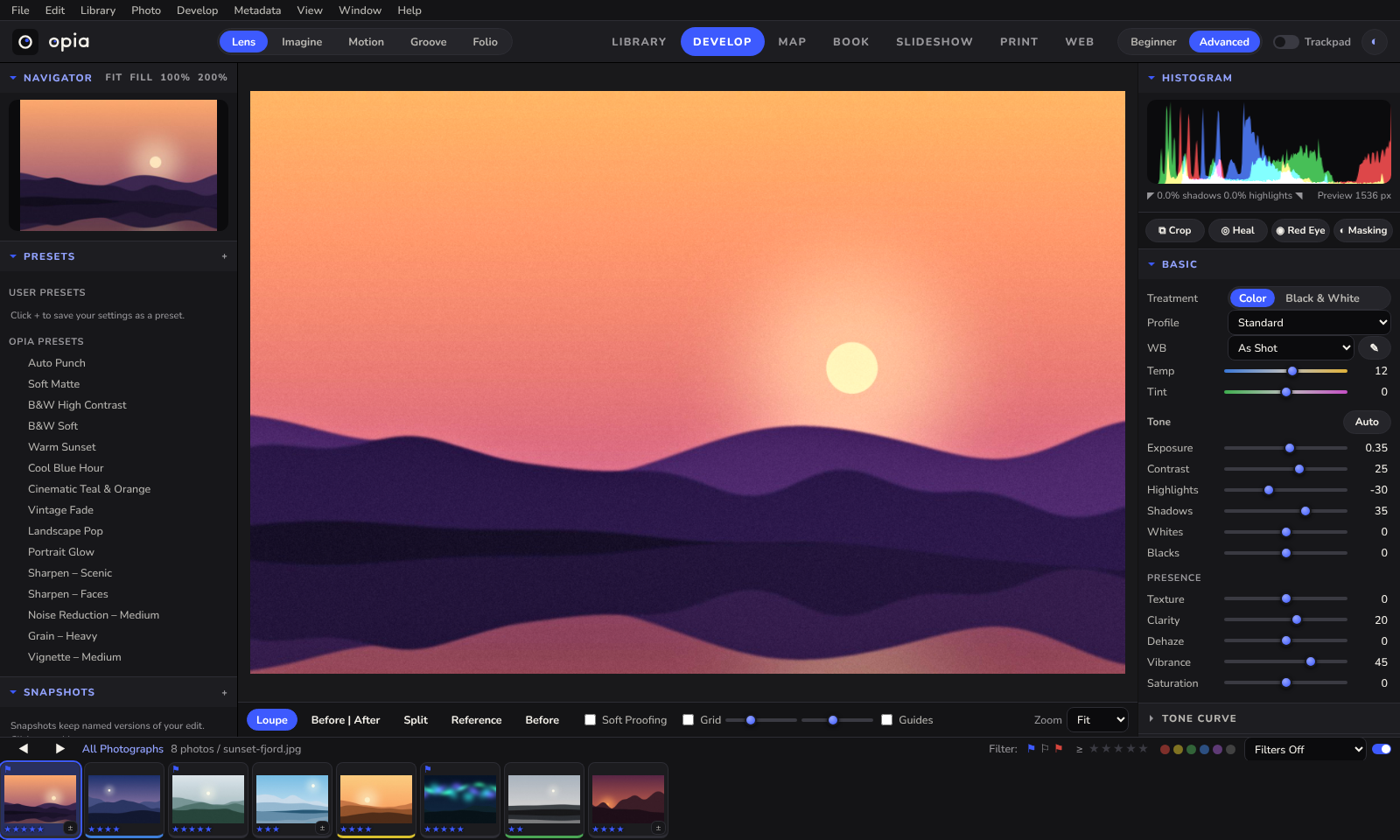
Every photo, sorted and developed.
Rate, flag and label. Find faces, places and look-alikes. Then develop: tone, colour, curves, masks and healing. Your originals are never changed.
- Library, Develop, Map, Book
- Slideshow, Print, Web gallery
- Export to JPEG, TIFF, WebP, AVIF
← the bit you'll use every day
 Imagine · pictures
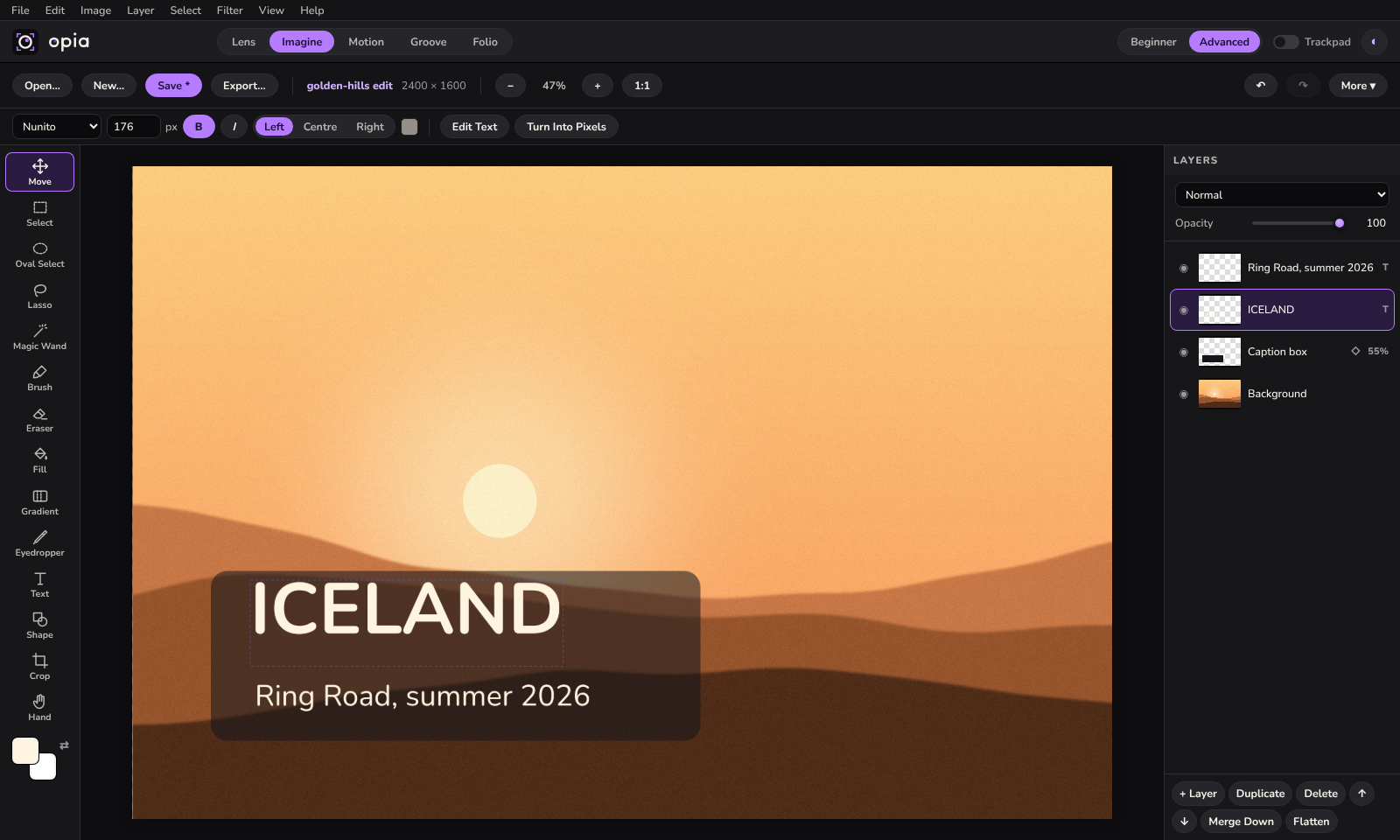
Layers, text and a brush.
A picture editor in the spirit of Photoshop. Stack layers with blend modes, cut things out, paint, and add text and shapes that stay editable.
- Selections, magic wand, free transform
- Levels, curves, hue and saturation, live
- Open any photo from Lens with its edits
← three layers, still editable
 Motion · video
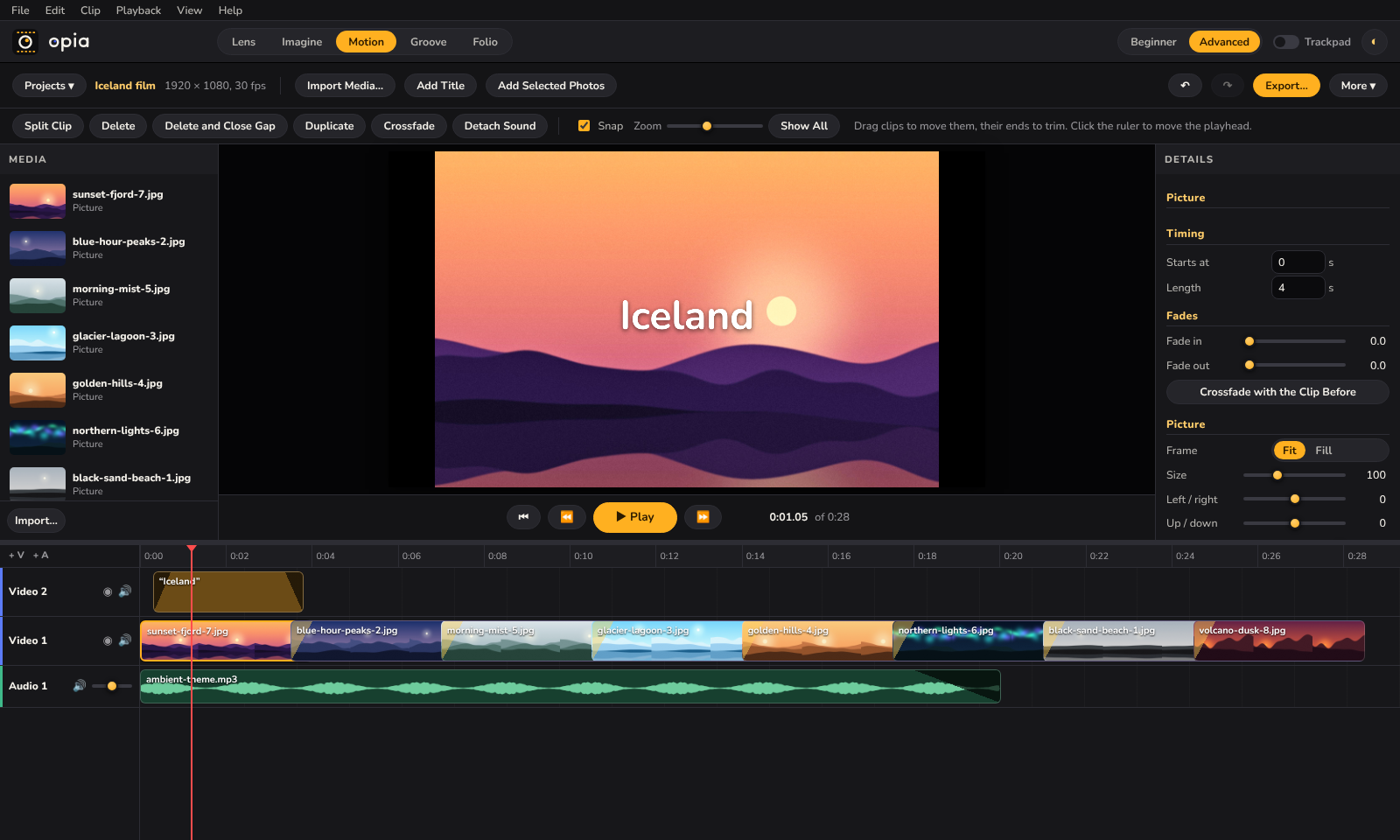
Cut it together. Export an MP4.
Put clips, pictures, titles and music on a timeline. Trim, split, snap, fade and crossfade, then export a film that plays anywhere.
- Any number of video and audio tracks
- Titles, crossfades, picture-in-picture
- Selected photos to a video in one click
← eight photos, one song
 Groove · music
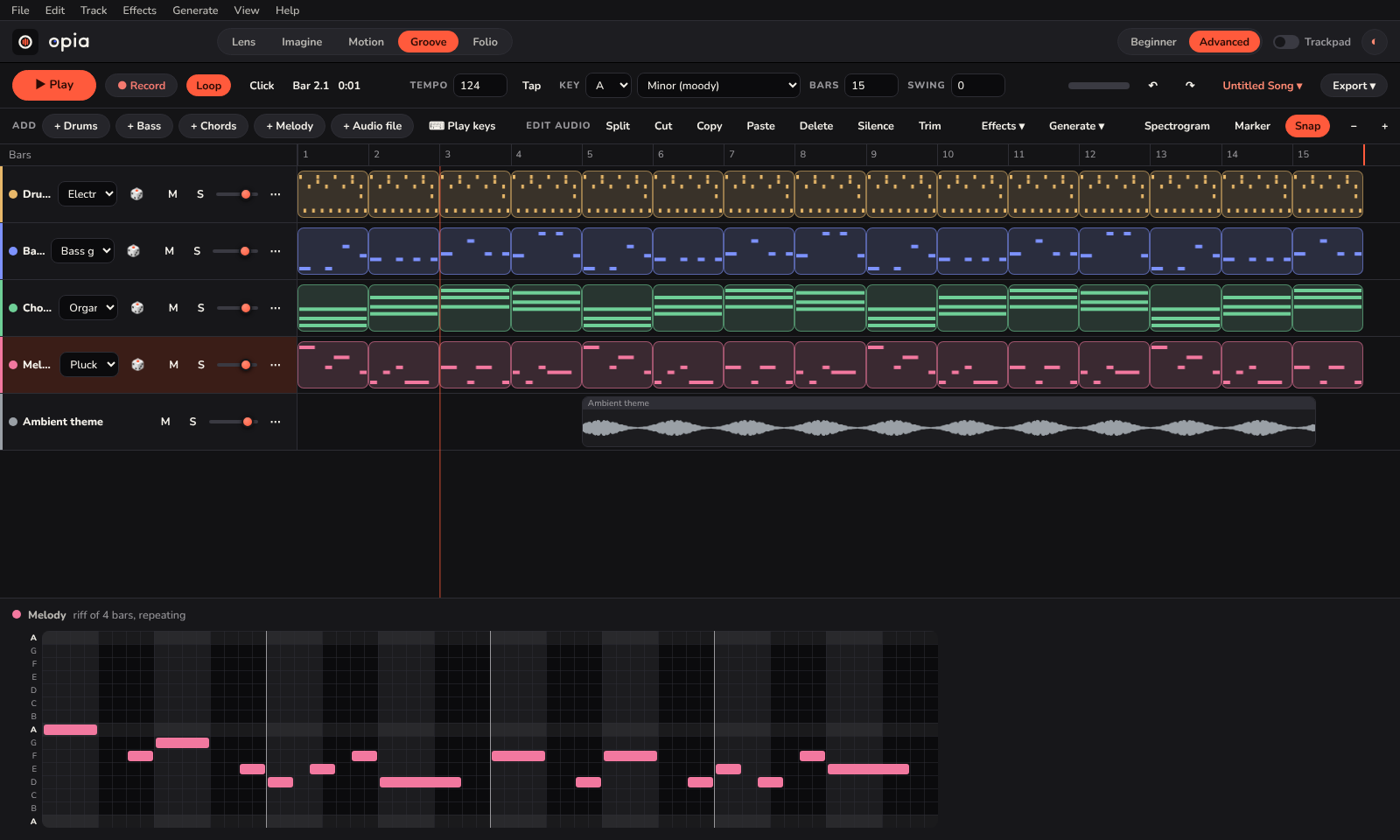
Songs, even if you don't read music.
Riffs for drums, bass, chords and melody that always fit together. Drag in your own sounds, record, cut and add effects when you want more.
- “Start me off” drafts a whole song
- Ten real recorded instruments
- Export WAV, MP3, stems or MIDI
← it always stays in key
 Folio · PDFs
Fill it in, sign it, send it.
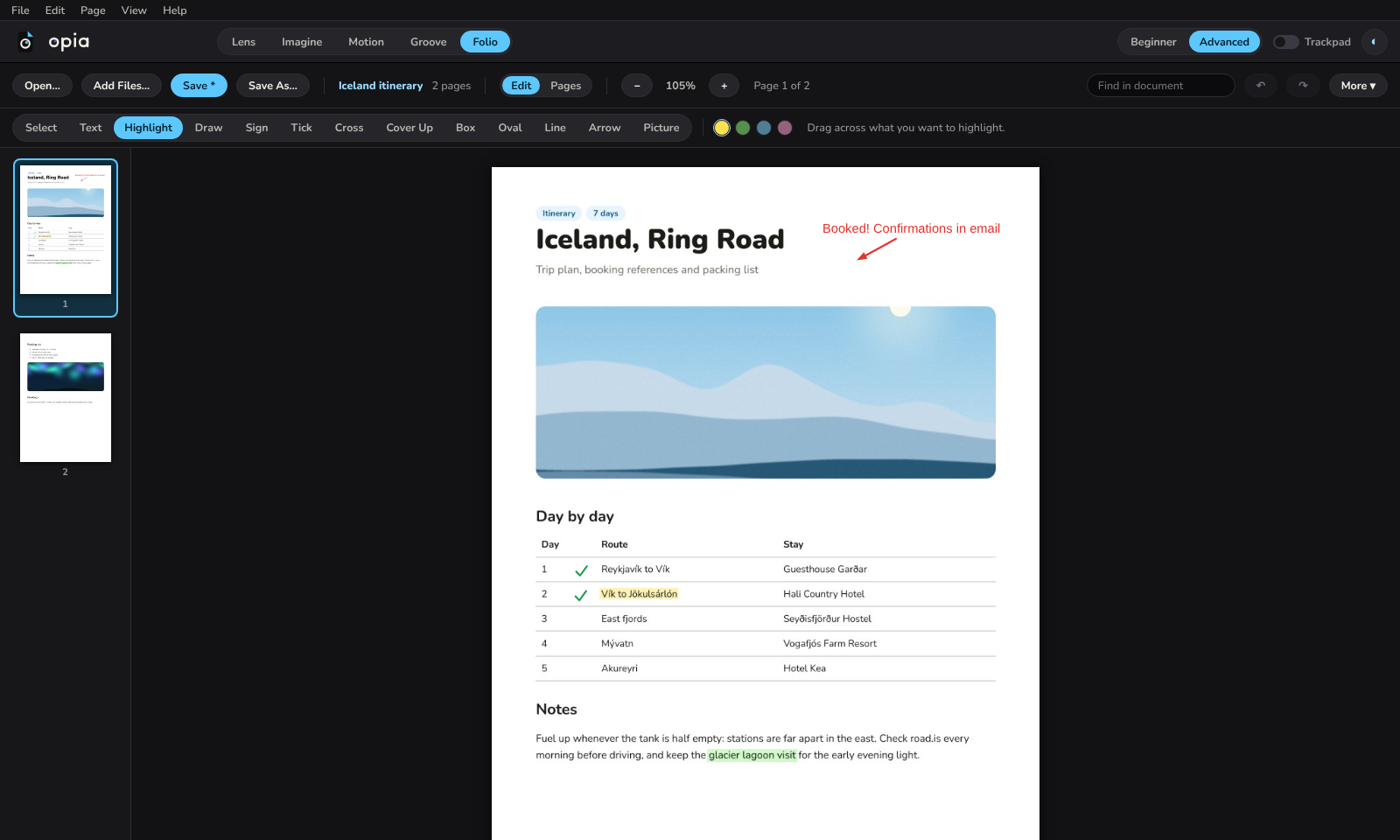
Type anywhere on a PDF, highlight, tick, draw your signature once and place it. Reorder pages, and combine files and pictures into one.
- Real form fields and signatures
- Split, rotate, extract and combine
- Page numbers, watermarks, passwords
← booked!
Also in the box
Small things that make it nice to use.
- Beginner and Advanced. Start with the essentials in bigger controls; switch on every panel when you're ready.
- Four themes. Opia Dark, Midnight Teal, Porcelain and Lilac Haze.
- English and Spanish. Change language any time, while the app is running.
- Keyboard friendly. Every button reachable with Tab, menus on F10, shortcuts you can change.
- Trackpad mode. Two fingers pan, a pinch zooms, sliders get bigger.
- Plug-ins. Add your own commands in Python.
Private by design
Your files never leave your desk.
Opia has no account and no cloud. Photos, songs, videos and documents stay in your own folders, and the originals are never changed. It only goes online for map tiles, for FTP uploads you start yourself, and to check for updates once you've allowed it.
no sign-up · no subscription · works offline
What's new
- Opia for Android Lens, Imagine, Folio and Groove on your phone, made for touch. Have a look →
- Imagine a layered picture editor, with selections, text, adjustments and filters.
- Motion a timeline video editor with titles and crossfades that exports MP4.
- Groove drop sound files on the timeline where you want them; drag clips between tracks.
- Accessibility keyboard access to everything, screen reader names, stronger contrast.
- New names Lens, Imagine, Motion, Groove and Folio.
FAQ
Questions, answered honestly.
Is it free?
Yes. There is nothing to pay and no account to make. The project hasn't chosen an open-source licence yet, so for now the code is shared to look at and run, not to reuse.
Does it work offline?
Yes. Everything runs on your computer. Only the map in Lens needs the internet, to fetch map tiles.
Which computers does it run on?
It's made and tested for Windows 10 and 11. It runs from the Python source, but some parts (the Recycle Bin, disc burning, showing files in Explorer) are Windows-only, and other systems haven't been tested.
Can it open my Lightroom catalog?
No. Lens has its own catalog format. It reads XMP sidecar files, so ratings, keywords and edits saved that way come across.
Will it change my original files?
No. Edits are stored separately, and Imagine, Motion and Folio save new files. Your originals are only overwritten if you choose to save over them.
What can't it do?
Photo editing is 8-bit, Imagine has no PSD support or layer masks, Motion has no speed changes or keyframes, and Folio can't rewrite existing PDF text or read scans. The README lists every limit.
Get Opia for Windows
Free, for Windows 10 and 11.
Download for WindowsOpia.exe is about 170 MB and needs no installing: double-click it. It isn't code-signed yet, so Windows may say it protected your PC; click More info, then Run anyway. After that, Help › Check for Updates keeps it current. Or run it from source. On a phone? Try Opia for Android.
git clone https://github.com/kanisakhpara-devs/Opia-for-Windows
cd Opia-for-Windows
pip install -r requirements.txt
python run.py